The spatial grid (graph paper)
Every column in G Kanban is a grid of square cells — the same idea as Excel’s 方眼紙 (graph paper) mode. A card isn’t just “in a column,” it occupies a specific rectangle of cells: a column and row position, plus a column span and row span.
Placing cards
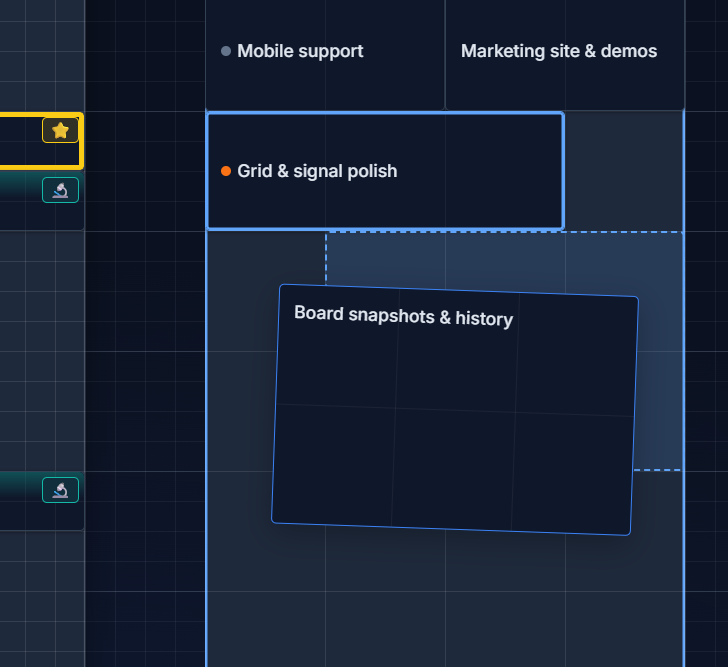
Section titled “Placing cards”Drag a card and drop it anywhere on the grid. While dragging, a dashed “ghost” outline previews exactly which cells the card will land on before you release it. Cards resolve to whole grid cells — there’s no free-floating pixel positioning, which keeps the board looking like consistent graph paper no matter how many cards you add.
Auto-flow vs. Exact Position
Section titled “Auto-flow vs. Exact Position”Each column can be configured with one of two layout modes (see Grid config for where to set this):
- Auto-flow — cards pack to the top of the column and close gaps automatically, closer to how a traditional kanban list behaves.
- Exact Position — cards stay exactly where they are dropped, even if that leaves empty cells above or below them.
Square cells, always
Section titled “Square cells, always”Row height tracks the measured column width dynamically, so every grid cell stays a perfect square no matter how wide or narrow you make a column. Column widths themselves snap to a fixed set of canonical sizes rather than arbitrary pixel values, which is what keeps the “graph paper rhythm” consistent across the whole board — see Resize & collapse.
Sub-columns and fine grid
Section titled “Sub-columns and fine grid”By default a column can be split into 1, 2, or 3 sub-columns for finer placement. Turning on Fine Grid switches a column to a 12-sub-column layout — the same idea as Excel’s graph-paper mode, just denser. Details in Grid config.