Boards & the split-pane view
A board is a first-class entity in G Kanban — there are no tabs. Each board has its own set of columns, and you can have as many boards as you like.
Split-pane view
Section titled “Split-pane view”The main view is split into a top pane and a bottom pane, each showing one board. Drag the divider between them to resize (clamped between 10% and 90%), or toggle the second pane off entirely with Ctrl/Cmd + \ to focus on a single board.
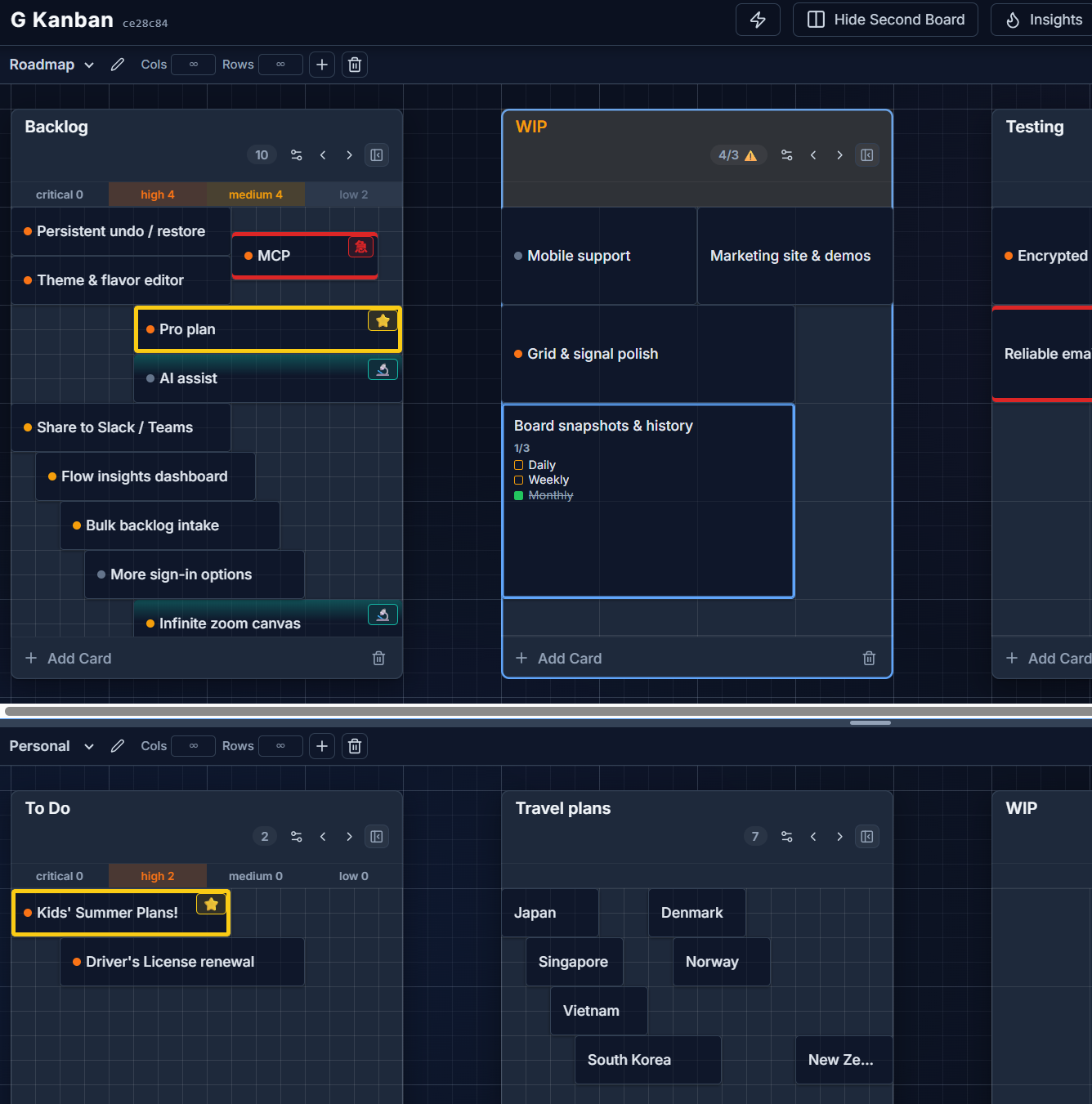
The two panes can never show the same board at once — if you pick a board that’s already open in the other pane, G Kanban swaps them automatically.
Insights in the bottom pane
Section titled “Insights in the bottom pane”Instead of a second board, the bottom pane can show the Insights dashboard — pick it from the same board selector used to switch boards.
Per-board viewport caps
Section titled “Per-board viewport caps”Each board can optionally cap how many columns or rows are visible at once (“Cols” / “Rows” steppers in the pane header), which is useful for keeping a board compact when you have more columns than fit comfortably on screen.